How to send WhatsApp voice notes from HighLevel Conversations
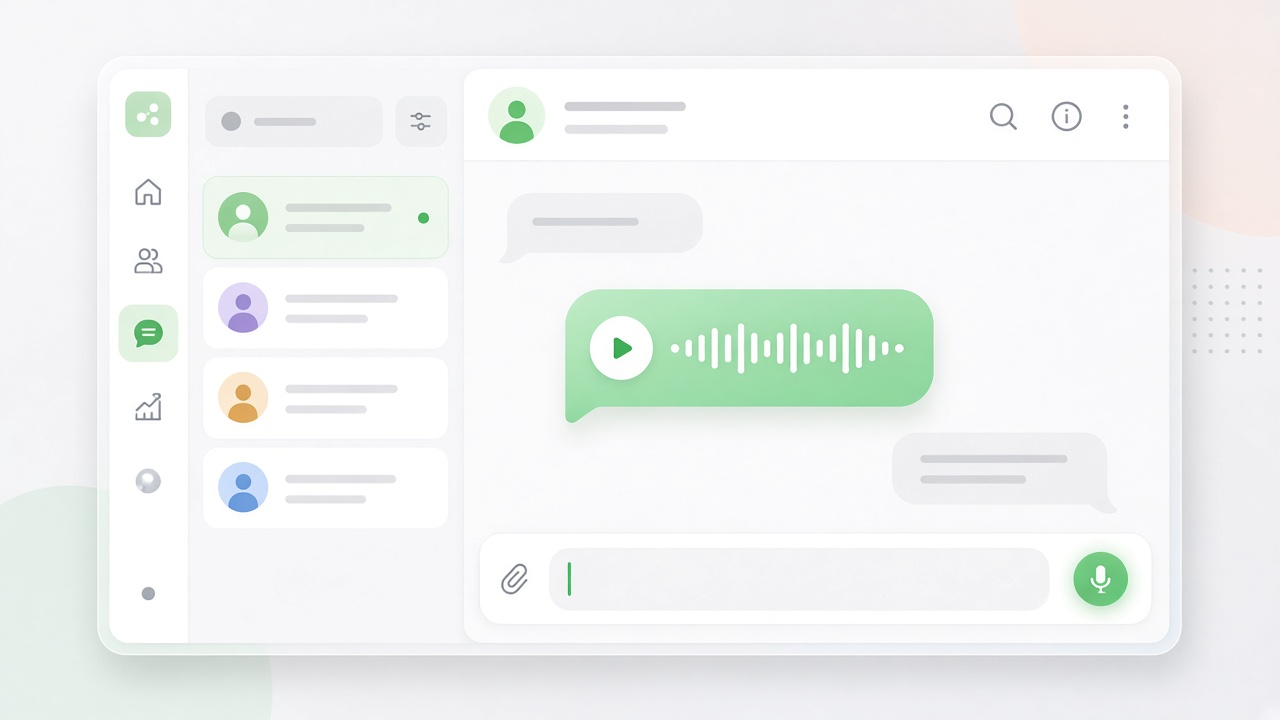
Voice notes let you record from HighLevel (GHL) Conversations and send a real WhatsApp push-to-talk message through Double My Leads. Your contact hears a normal WhatsApp voice note on their phone. In GHL you get a playable player so your team can listen back in the same thread.
The widget is agency-wide. Paste the snippet once in GHL Custom JS and it appears on every connected location.
What you need
| Item | Notes |
|---|---|
| Double My Leads account | Agency Settings → Voice Notes |
| GHL location connected | The sub-account must already be linked to Double My Leads (WhatsApp QR or WhatsApp Cloud) |
| Conversation open | The green mic only appears on a GHL Conversations page |
| Microphone access | Allow the browser when it asks |
QR / Baileys WhatsApp: set the conversation channel to SMS. That is how HighLevel routes the thread through our plugin. The mic stays hidden on Email, GMB, and other channels.
WhatsApp Cloud API locations: the mic can appear without switching to SMS. Those recordings send as a WhatsApp audio message.
Limits: about 2 minutes or 5 MB per note.
Step 1 — Copy your snippet
- Sign in to Double My Leads.
- Open Settings (agency dashboard, not a workspace).
- Click the Voice Notes tab.
- Click Copy Snippet.
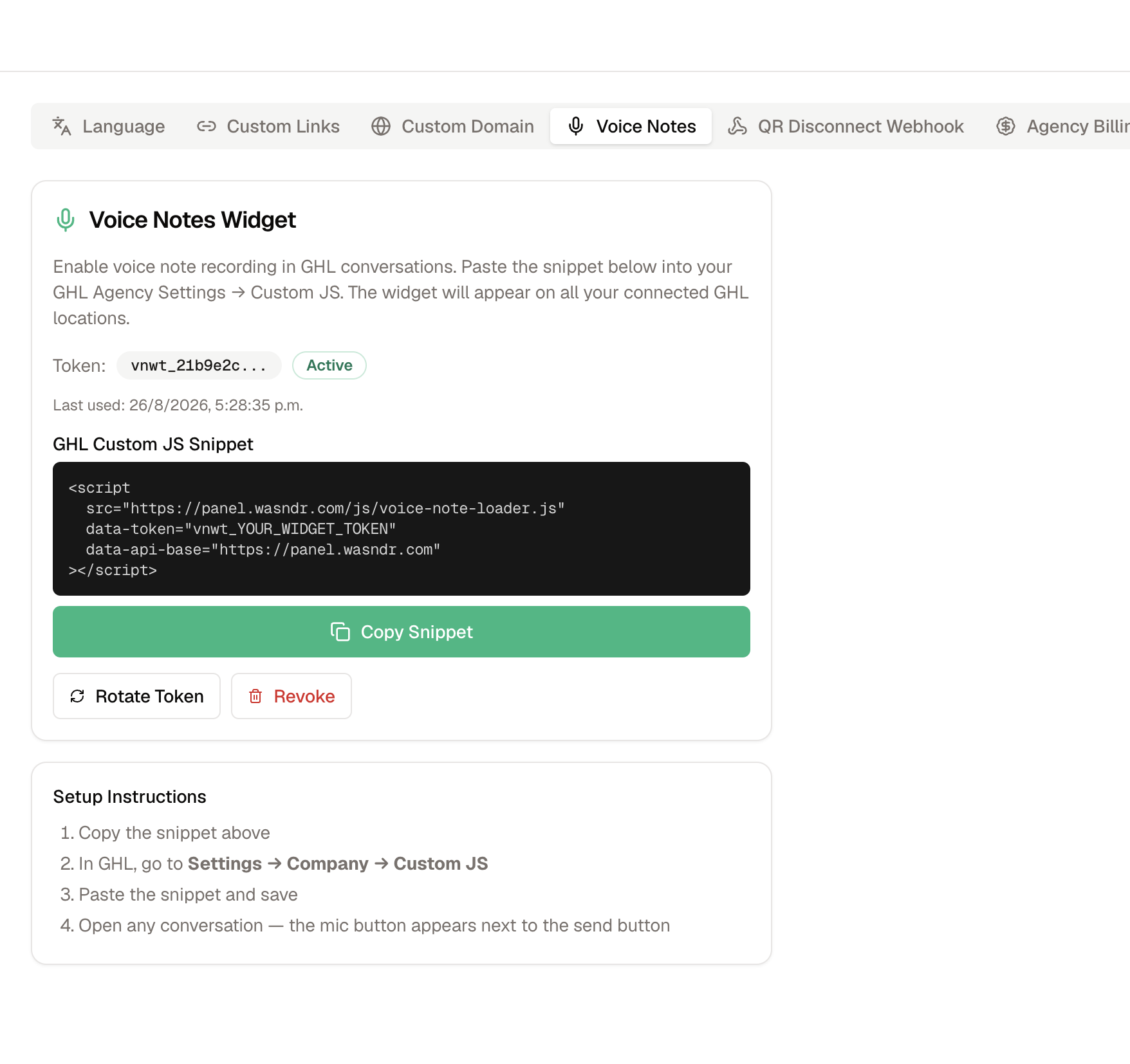
The snippet looks like this (your token is unique — copy it from the dashboard, do not reuse the placeholder):
<script
  src="https://panel.wasndr.com/js/voice-note-loader.js"
  data-token="vnwt_YOUR_WIDGET_TOKEN"
  data-api-base="https://panel.wasndr.com"
></script>
Keep the token private. Anyone with it can send voice notes from your connected locations.
Step 2 — Paste it into GHL Custom JS
- In HighLevel, go to Settings → Company → Custom JS.
- Paste the snippet.
- Save.
This is an agency setting, so you do not paste it once per sub-account.
Step 3 — Record and send
- Open Conversations in the connected location.
- Open a WhatsApp contact.
- For QR WhatsApp, set the channel selector to SMS.
- Click the green microphone next to the composer (paperclip / emoji row).
- Allow the microphone if the browser asks.
- Record, then tap the blue send button on the recording bar (or the trash icon to discard).
The contact receives a native WhatsApp voice note. In GHL the same send appears as a playable player with a caption like 🎤 Voice note (6s).
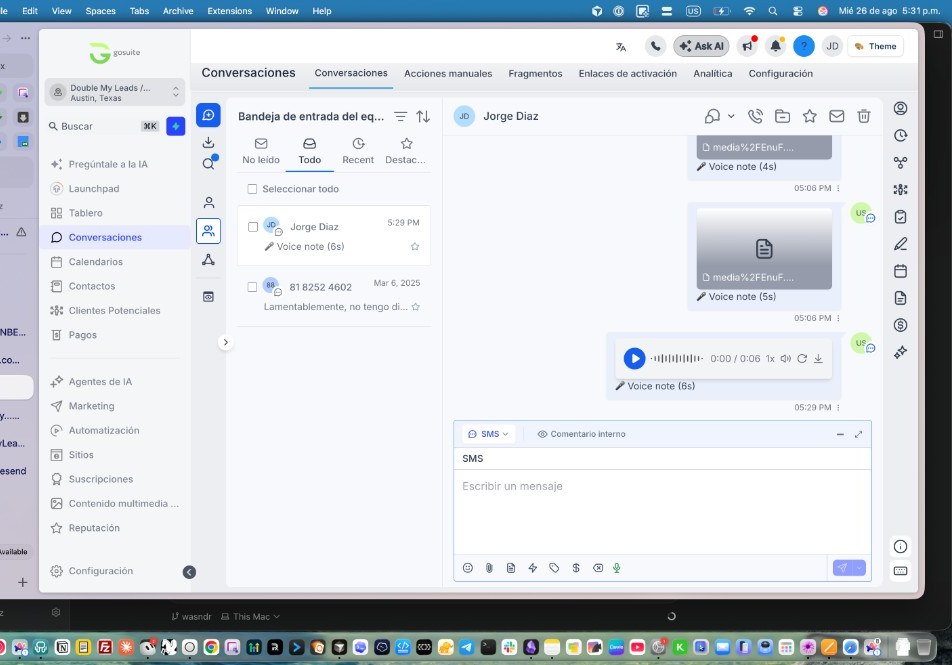
In that screenshot:
- The green mic sits in the composer toolbar.
- The channel is set to SMS.
- The latest message is the waveform player you and your team can play in GHL.
Rotate or revoke the token
| Action | What it does |
|---|---|
| Rotate Token | Creates a new snippet and immediately disables the old one. Update Custom JS or the mic disappears everywhere. |
| Revoke | Turns the widget off on all locations. Generate a new token later and paste the new snippet. |
Do not rotate unless you need to replace a leaked or lost token.
Troubleshooting
No green mic
- Confirm the location is connected in Double My Leads.
- You must be on a Conversations URL, not Contacts or Opportunities.
- For QR WhatsApp, switch the channel to SMS.
- After rotating a token, paste the new snippet in Custom JS and refresh.
Browser says microphone is required
- Allow mic access for the HighLevel domain, then refresh.
WhatsApp shows “this audio is no longer available”
- Resend a new note. Older files that were encoded before the current player cannot be repaired on the contact’s phone.
Recording too large
- Keep the note under about 2 minutes / 5 MB.
If the mic still does not appear after the checks above, contact support with the GHL location name and whether the workspace uses WhatsApp QR or WhatsApp Cloud.